MUSE Ecosystem · Gothic Grandma LLC
CLIO
AI-Augmented Dev EnvironmentWhat Problem It Solves
Developing MUSE requires constant context-switching between languages (C++, Go, Python, TypeScript), runtimes (native, Node, Python), and tools (databases, terminals, documentation). Traditional IDEs force you to juggle multiple terminals and lose AI context between sessions.
CLIO provides a unified development environment with persistent sessions, integrated AI pair programming, and cross-language tooling—all within a single interface designed for the MUSE ecosystem.
How It Works
Persistent Sessions Across zsh, Python, Node, Claude Code
- Persistent sessions — terminal state survives restarts, maintaining context across development sessions
- Multi-language support — zsh, bash, Python REPL, Node.js, and Claude Code all in unified interface
- Background process management — monitor and control long-running tasks (builds, servers, tests)
- Context menu logging — capture output as Todo, Insight, Decision, Accomplished, Plan
- Real-time conversation capture — AI session logging for future reference
- Log type classification — todo, insight, decision, error, api, dependency, pattern
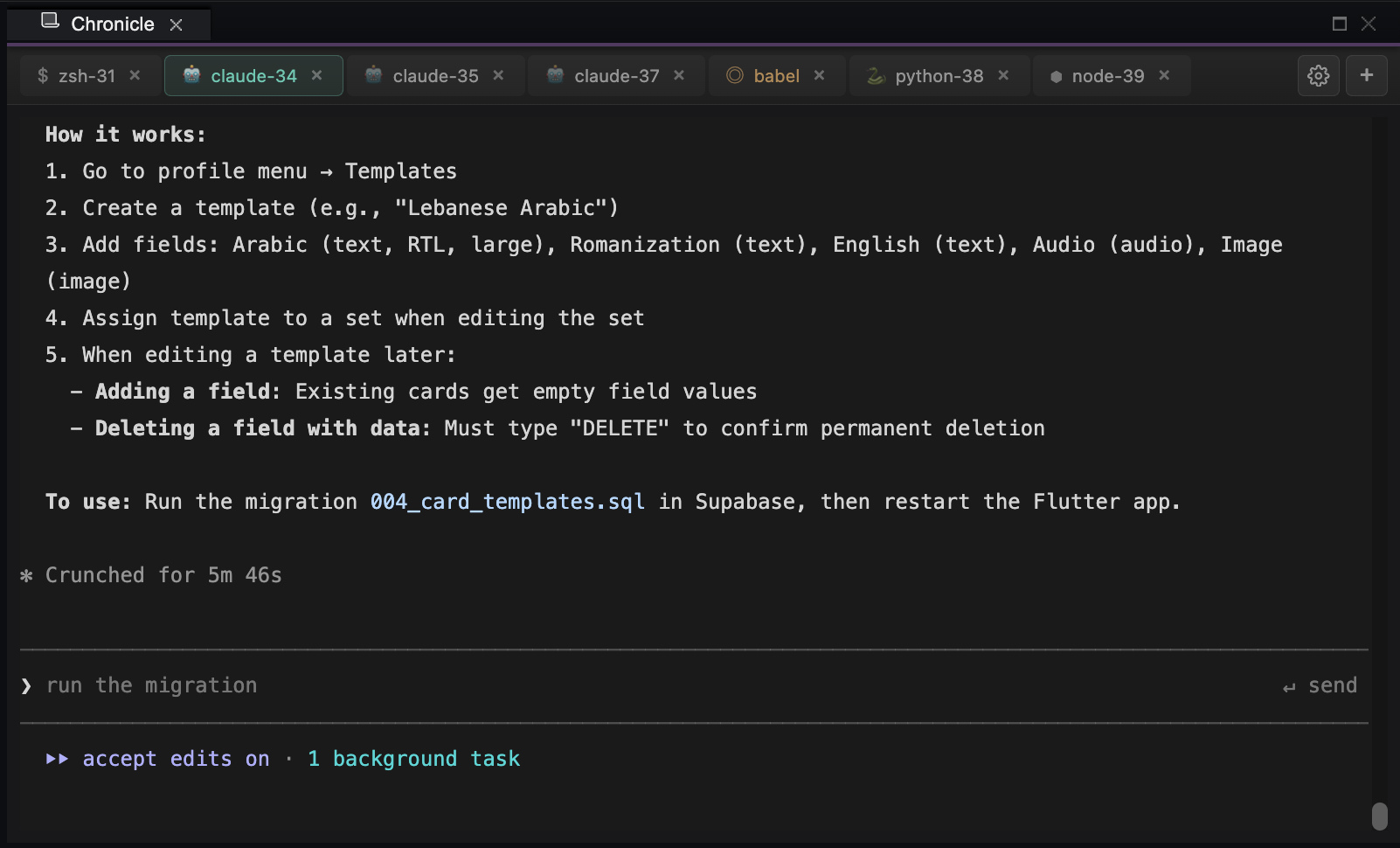
Claude Code Integration with Full Codebase Context
- Claude Code integration — AI assistant with full codebase context runs from within CLIO terminal
- BABEL semantic layer — natural language commands translated to appropriate tool invocations
- Session-aware context — AI maintains awareness of current development goals and recent changes
Static Analysis Across C++, Go, Python, TypeScript, Dart
Python analysis scripts that characterize and visualize the entire codebase
- Static analysis pipeline — Python scripts parse and analyze codebase structure, dependencies, and patterns
- Database schema output — analysis results written to structured SQLite tables for querying
- Architecture panel — visual representation of codebase structure with interactive tabs
- Dependency mapping — trace imports, function calls, and module relationships
- Pattern detection — identify common fixes, recurring issues, and architectural insights
Monaco Code Editor with Multi-Language IntelliSense
- Monaco-based editing — VSCode's editor engine with full syntax highlighting and IntelliSense
- Multi-language support — C++, Go, Python, TypeScript, Dart, SQL, and more
- Integrated publishing — write blog posts in markdown and publish directly to the portfolio site
- Focus mode — Shift+Cmd+F maximizes any panel for distraction-free work
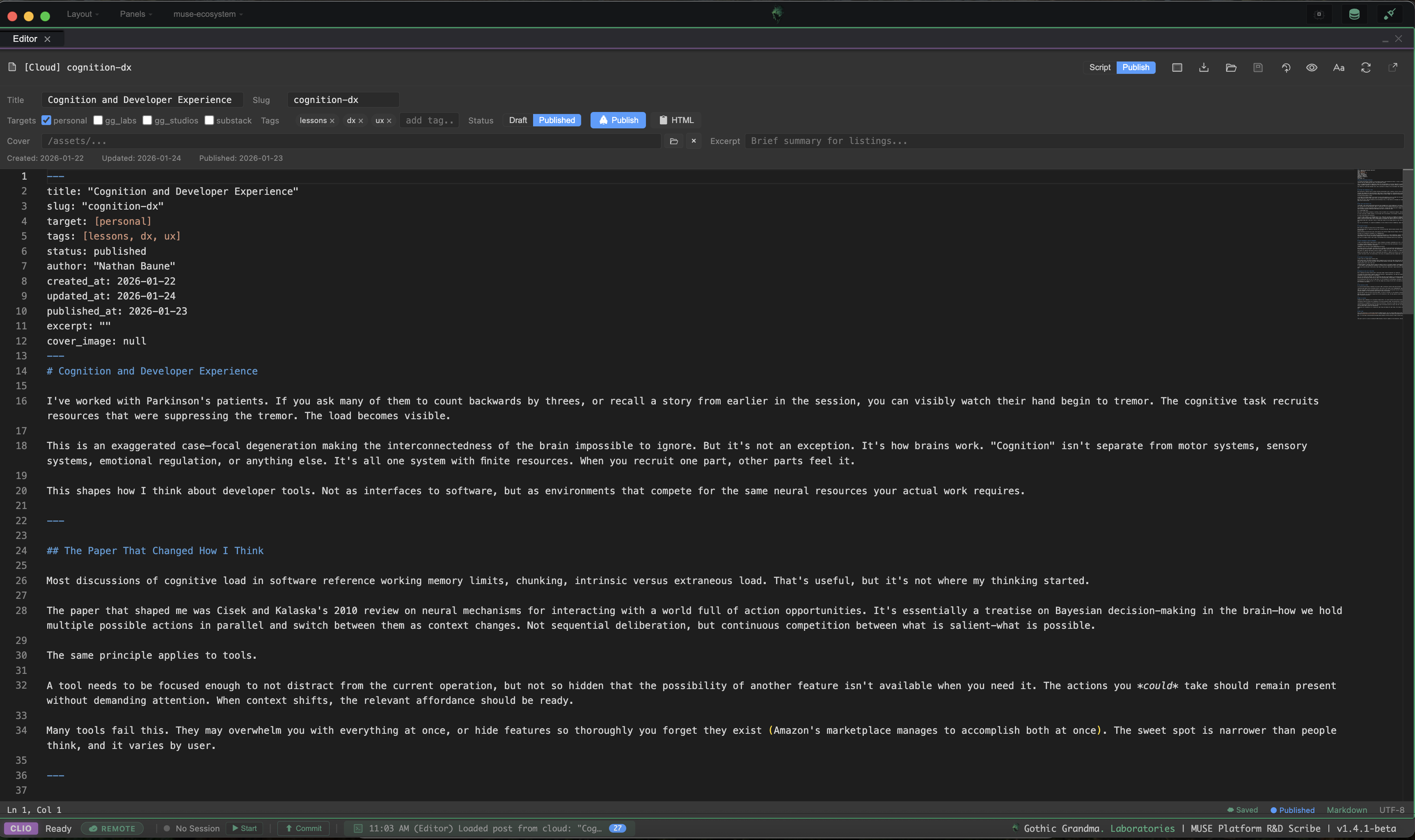
Focus Mode
Press Shift+Cmd+F to maximize the panel under your cursor. Same shortcut or Escape to restore. Enables deep focus on any panel—terminal, editor, or documentation—without losing layout context.
8 Integrated Panels (Journal, Todo, Timeline, Terminal...)
- Journal — rich markdown notes with folders, templates, session linking
- Todo Manager — task tracking with filtering, multi-select, priority management
- Development Timeline — chronological view of todos, sessions, insights, decisions
- Chronicle Terminal — persistent tmux terminals, Claude Code conversation logging
- Architecture Explorer — codebase dependency visualization
- Obsolete Detector — dead code identification with risk scoring
- API Documentation — auto-extracted API reference browser
- Knowledge Base — searchable insights, patterns, common fixes
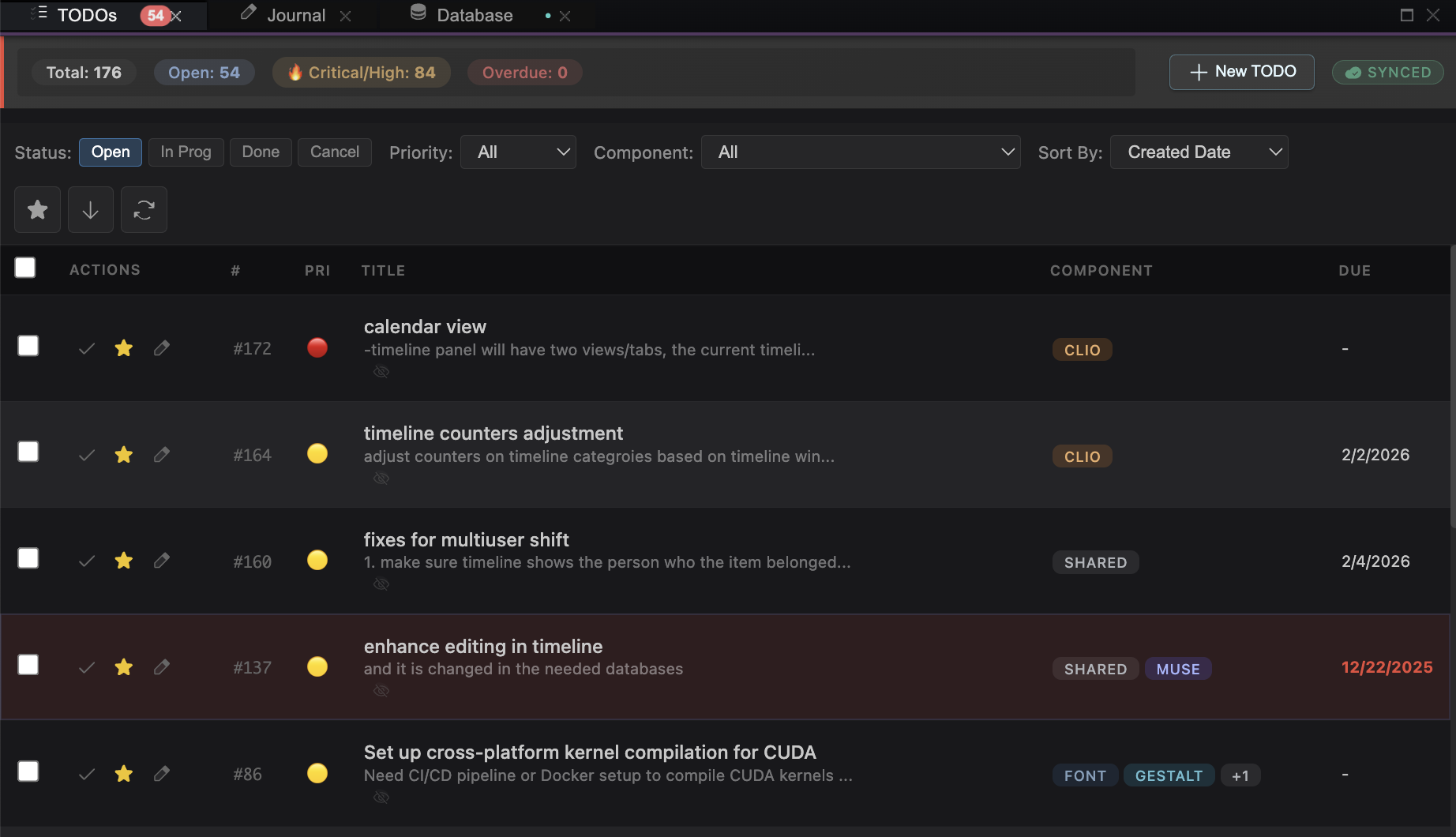
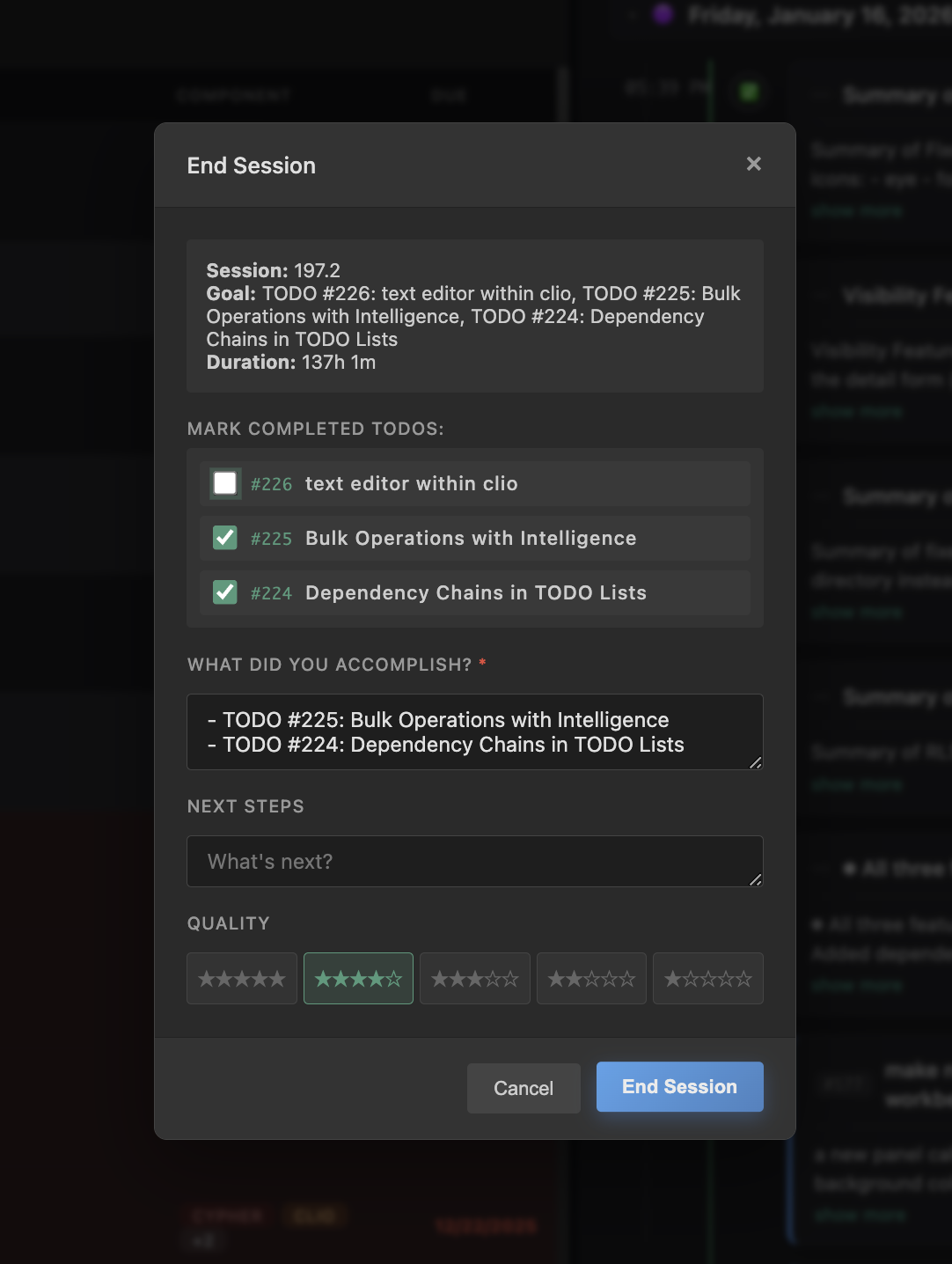
CLIO tracks development sessions with start/end times, goals, and accomplishments. The timeline panel provides a chronological view of all development activity—todos created, sessions started, insights logged, and decisions made.
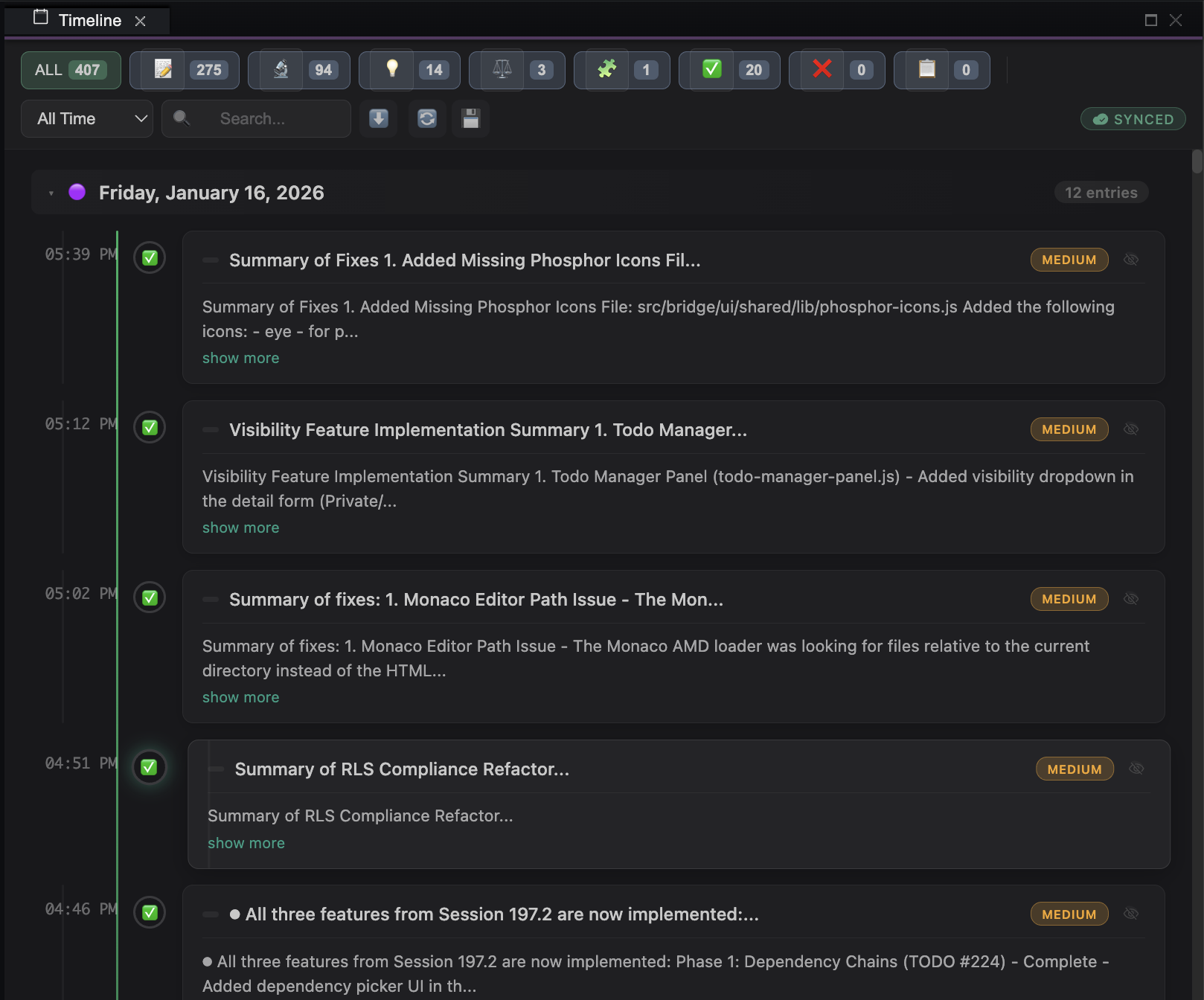
Each session captures the development context: what you set out to do, what you actually accomplished, and any blockers encountered. This creates institutional memory that persists across work sessions.
Role-Based Permissions with Admin Controls
Role-based access control and tool configuration
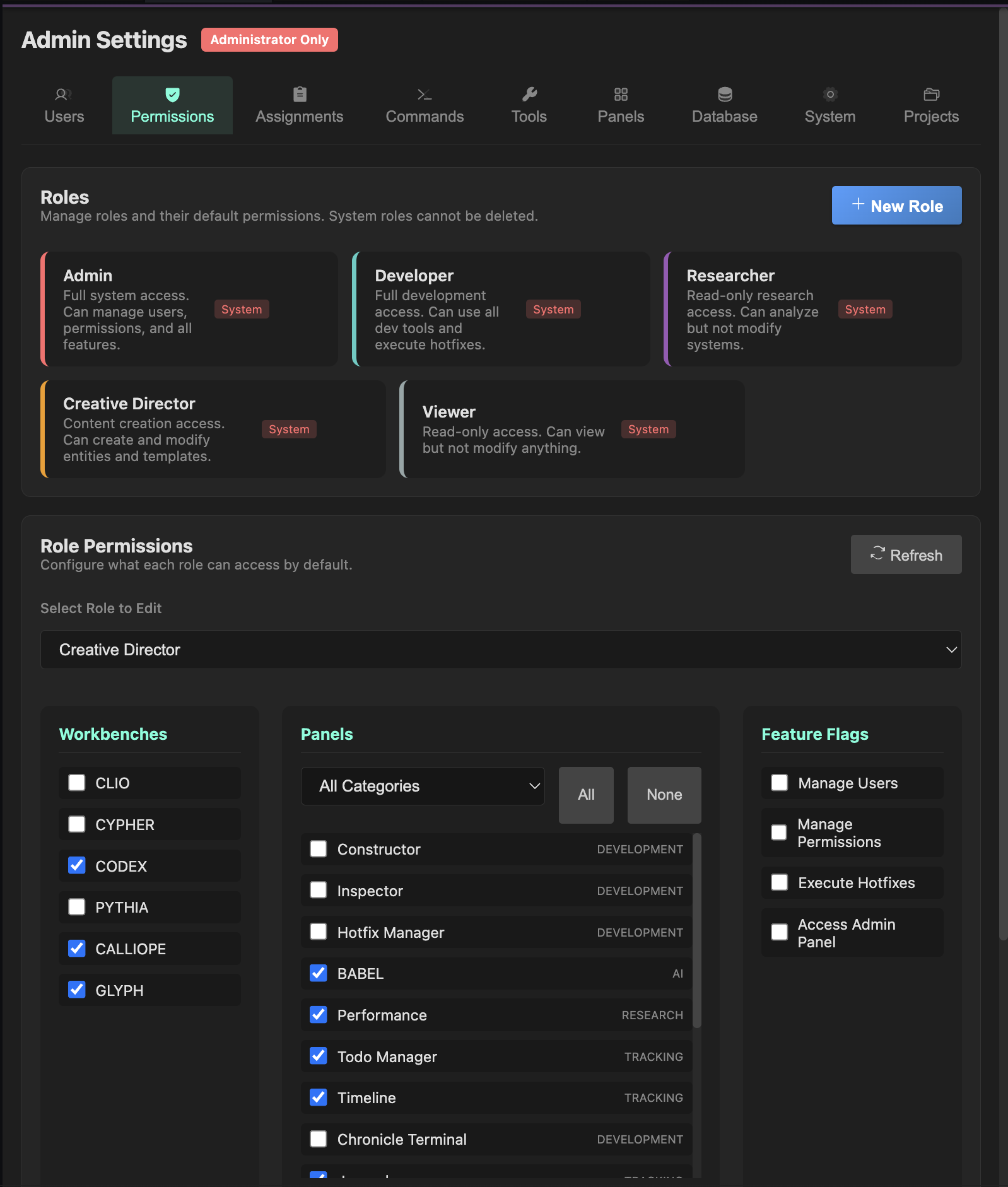
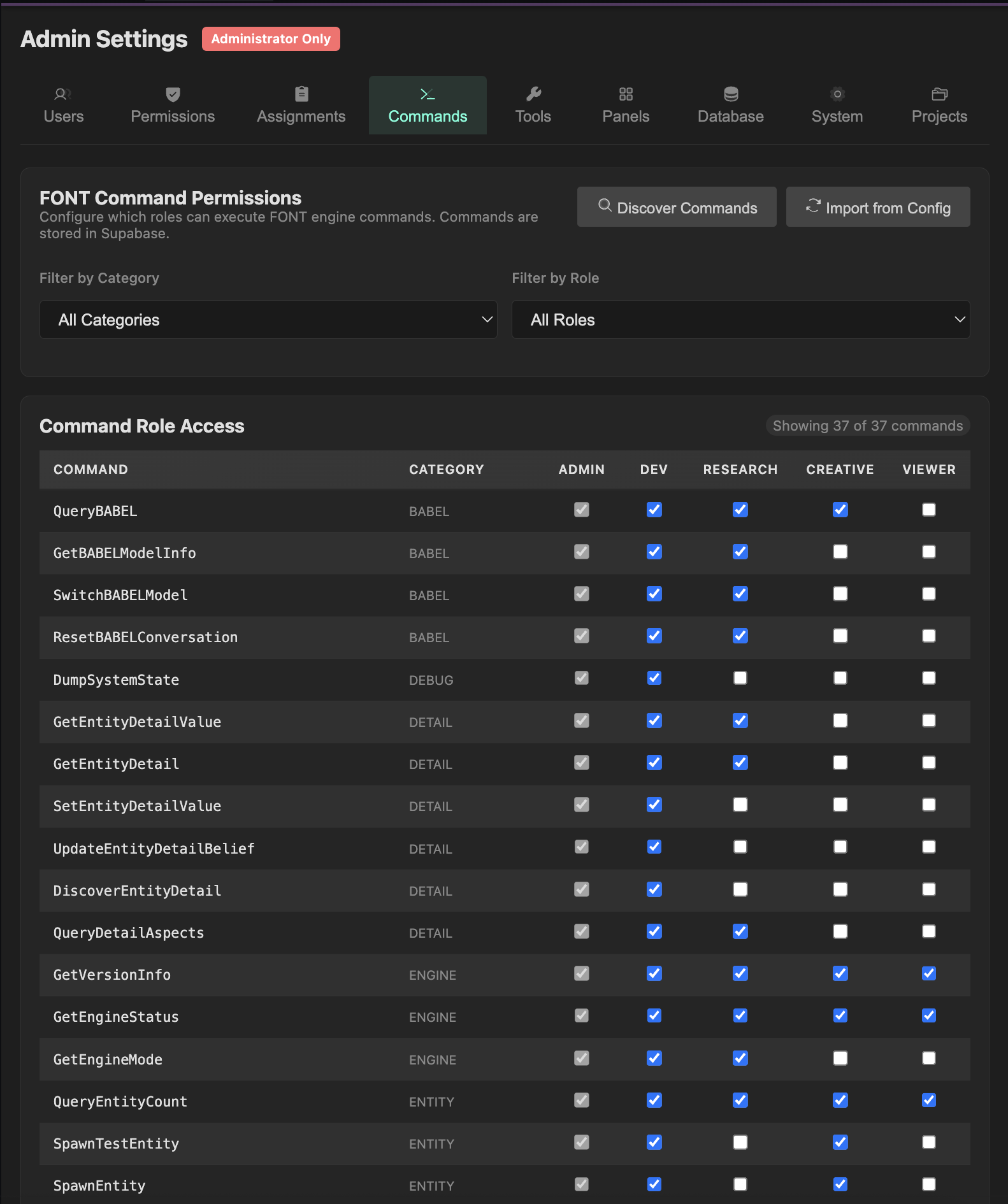
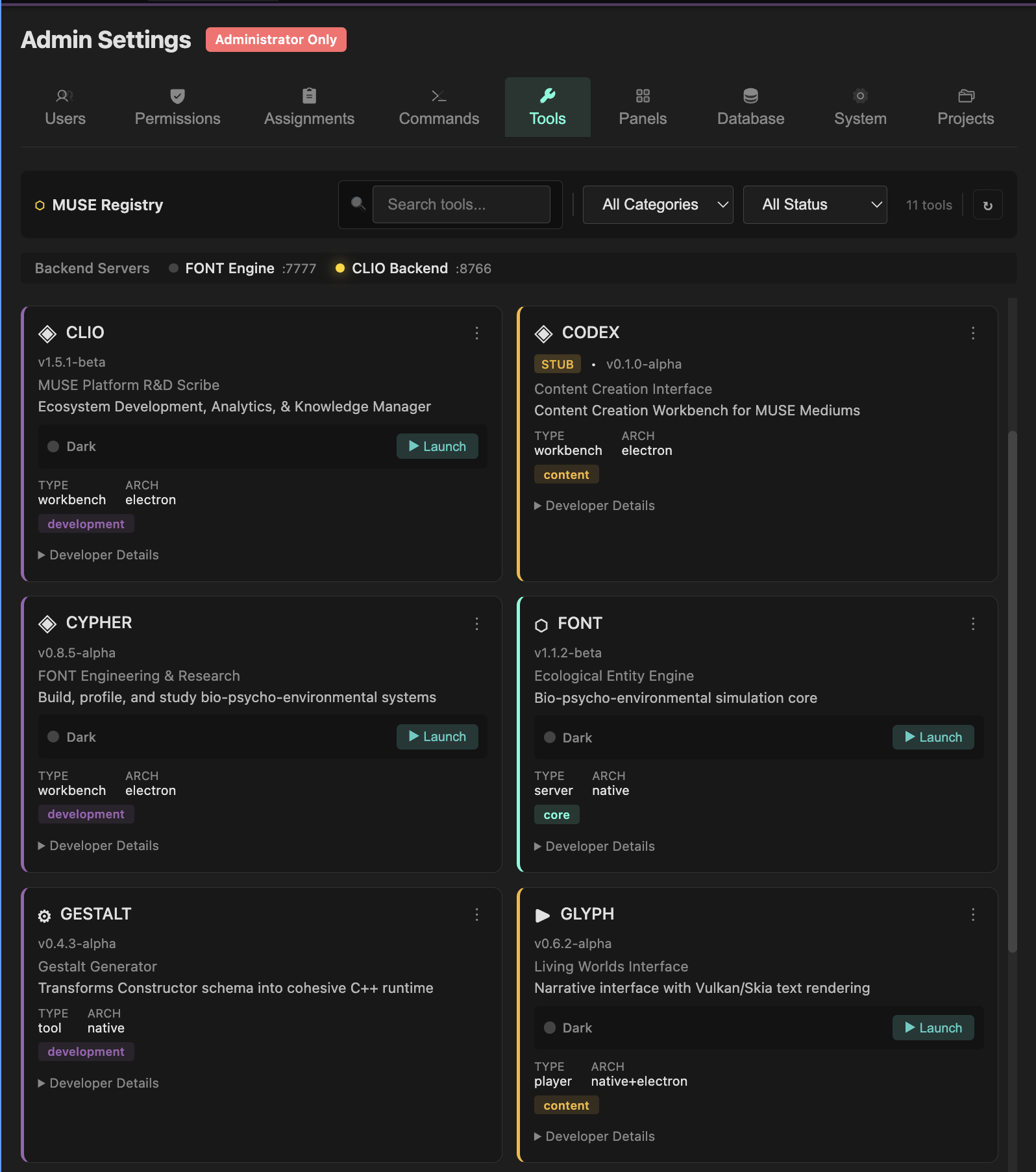
The admin interface manages user roles and permissions across workbenches. Each tool and command can be restricted by role, enabling fine-grained access control for multi-user development environments.
8 Supabase Tables for Session/Todo/Insight Persistence
- todo_items — task management with priority/status
- development_sessions — session lifecycle tracking
- terminal_logs — captured terminal output
- insights_knowledge — rated learnings (1-10 scale)
- common_fixes — solution repository with success rates
- journal_entries — timestamped markdown notes
- session_decisions — architectural decisions
- code_patterns — reusable pattern library
Architecture
CLIO runs as an Electron application with a Go backend (port 8766) handling API requests and a Python subprocess capability for LLM-integrated tooling. The Go control plane manages:
- WebSocket real-time updates for terminal output
- Supabase (PostgreSQL) and SQLite database connections for session/todo/insight storage
- Process management for background analyzers
- Authentication and permission handling for multi-workbench access
Impact
- Single interface for all MUSE development—no context-switching between tools
- Persistent AI context across sessions improves development velocity
- Automatic session logging creates institutional memory
- Background analyzers surface patterns and dependencies proactively